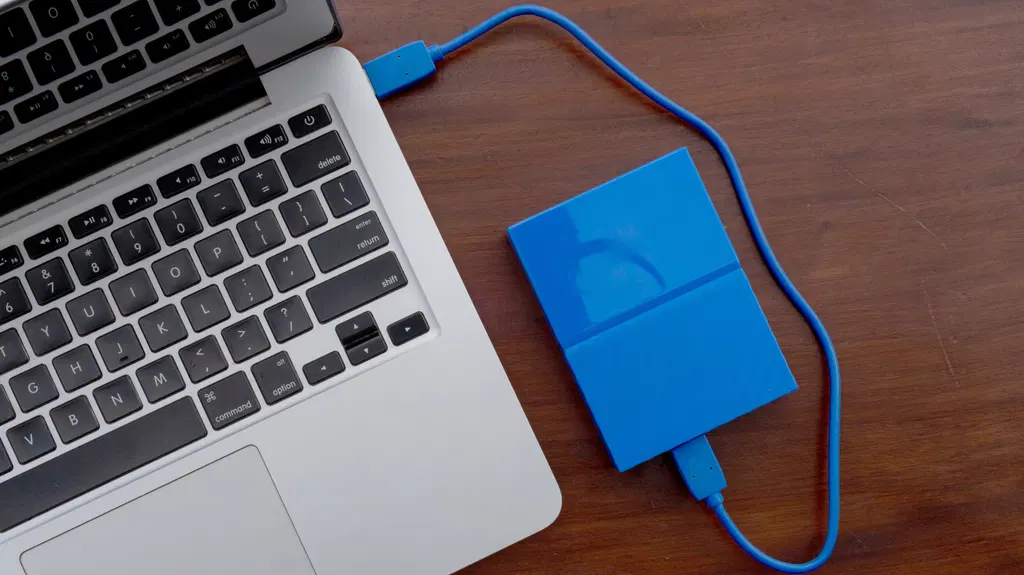
External HDD vs. SSD: What are the pros and cons of each drive type?
External SSDs offer superior speed, durability, and portability compared to external HDDs, making them ideal for frequent data transfers and on-the-go use. However, HDDs provide significantly more storage capacity for a lower cost, which is advantageous for large-scale archiving or backup purposes. The optimal choice depends on the user's specific needs regarding performance, budget, and physical handling of the drive.
- ▪External SSDs utilize flash storage to deliver speeds of 500MB/s or higher, whereas external HDDs typically operate around 100MB/s.
- ▪SSDs are more resistant to physical shock and vibration due to the absence of moving parts, making them safer for portable use.
- ▪HDDs offer a much lower cost per gigabyte, allowing users to purchase larger capacities like 4TB for a more reasonable price than equivalent SSDs.
- ▪SSDs consume less power and operate silently, which is beneficial for laptop users who are frequently away from power sources.
Engadget files mainly under tech. We currently carry 615 of its stories.
Story provenance
Source · retrieval · rights · ranking — open for full record
inspect →
Story provenance
Attribution is not the same as permission. This drawer separates discovery metadata, excerpts, WeSearch-generated summaries, reuse status, and whether the publisher receives the visit. Nothing here claims a legal grant the publisher has not made.
Record
| Original publisher | Engadget |
| Canonical URL | https://www.engadget.com/2252820/external-hdd-vs-ssd-pros-and-cons-drive-type/ |
| Publication time | Sun, 13 Sep 2026 12:30:00 +0000 |
| Retrieval time | 2026-09-13T12:31:50.820Z |
| Last seen | 2026-09-13T12:31:50.820Z |
| Headline source | Publisher (no WeSearch rewrite) |
| Excerpt source | publisher body |
| Excerpt method | First ~120 words (~800 chars) of extracted publisher body, fair-use limited. |
| Summary | WeSearch · cerebras-chat (WeSearch summarizer) |
| Summary source text | contentText |
| Citation coverage | Summary is a WeSearch-generated derivative; primary citation is the original publisher URL. |
| Cluster | 6EE4zqdBWnwP · 1 stories |
| Cluster logic | Grouped by semantic title/content similarity across sources within a rolling window. Same-publisher template collisions are excluded from coverage comparison. |
| Ranking reason | Story pages are not engagement-ranked. Hub feeds use recency, with optional source-diversified chronological ordering (cap consecutive stories per source). No personalized ranking. |
| Publisher visit | Yes — open original |
| Substitutes article? | No — link-out required for full text |
Rights status (four layers)
WeSearch handling by dimension
| Indexing | May the item be indexed (stored, ranked, made findable)? | Allowed |
| Snippet | May a short excerpt of the publisher's text be shown? | Allowed |
| AI summary | May WeSearch generate its own short summary of the article? | Limited |
| Retrieval / RAG | May the content be exposed for third-party retrieval-augmented generation? | Not asserted |
| Model training | May the content be used to train AI models? | Not asserted |
| Commercial reuse | May the content be reused commercially? | Not permitted |
Basis: Derived from the published RSS/Atom feed. Contact: [email protected]. Reviewed: 2026-07-24.
Opening excerpt (first ~120 words) tap to expand
News Computing Accessories External HDD vs. SSD: What are the pros and cons of each drive type? External SSDs are faster, but they aren’t always the better choice. By Ben Stegner Sept. 13, 2026 8:30 am EST kamitana/Shutterstock Add Engadget on Google: Preferred Source Google Discover We may receive a commission on purchases made from links. External drives are great for adding more storage to a laptop, since swapping or adding internal laptop drives isn't usually possible today. But they're also a good option for carrying data between locations, creating backup archives or any other data storage needs. And just like when buying an internal drive, you'll have to choose between solid-state drives (SSDs) and hard disk drives (HDDs) when picking up external storage.
…
Excerpt limited to ~120 words for fair-use compliance. The full article is at Engadget.
Discussion
0 commentsMore from Engadget