Hands on: Sidecar previews a full touch interface for macOS 27
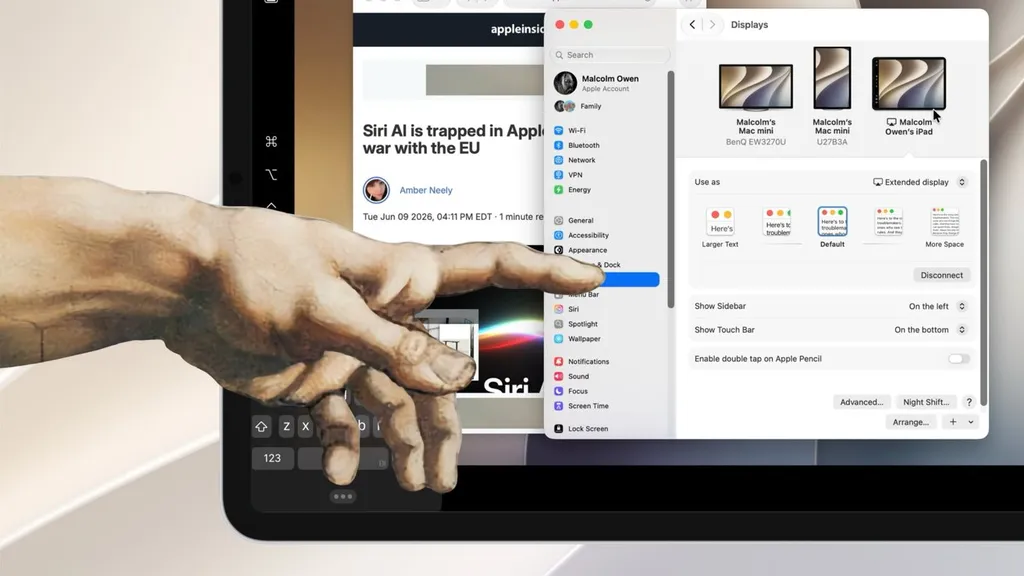
Apple has added full touch interaction to Sidecar in macOS 27 and iPadOS 27, allowing users to tap and drag macOS app elements directly from an iPad screen. The new functionality works without requiring an Apple Pencil or other peripherals, though the setup process remains unchanged. A current limitation is that Sidecar cannot be used in portrait orientation on the iPad.
- ▪Sidecar now lets users interact with macOS UI elements using finger taps and drags on an iPad, effectively mimicking mouse clicks.
- ▪Previously, finger input was limited to multi‑touch gestures and required a trackpad, mouse, or Apple Pencil for direct app interaction.
- ▪The configuration steps for enabling Sidecar in the Display settings are unchanged, but the feature still only supports landscape mode.
- ▪Users can perform actions such as selecting items, resizing windows, and scrolling within apps using touch alone.
AppleInsider files mainly under tech. We currently carry 152 of its stories.
Opening excerpt (first ~120 words) tap to expand
Hands-On Hands on: Sidecar previews a full touch interface for macOS 27 Malcolm Owen 0 e-mail BlueSky Mastodon X Facebook Reddit Wed Jun 10 2026, 01:30 PM EDT · 3 minute read Touch is better in Sidecar for macOS 27 and iPadOS 27 Sidecar in macOS 27 finally allows you to use your finger to navigate macOS apps from your iPad's screen, without needing an Apple Pencil. Here's how it works, with one key limitation. Sidecar is a feature of macOS that lets you extend your Mac's display onto an iPad's screen. For road warriors with a MacBook Pro, it was an invaluable way to get a multi-screen desktop while on the go. While Sidecar has been around for quite a while, it hasn't really undergone that much of a change. For macOS 27 and iPadOS 27, that seemed to be the case at first glance.
…
Excerpt limited to ~120 words for fair-use compliance. The full article is at AppleInsider.
Discussion
0 commentsMore from AppleInsider