I Degoogle My Android Phone with MicroG and Aurora Store
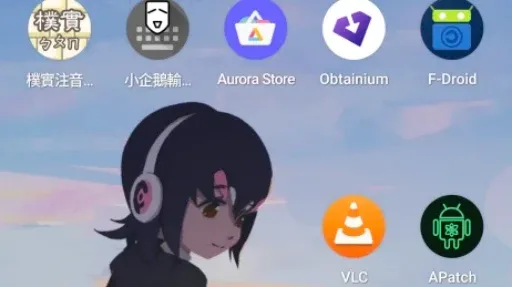
The article discusses the process of 'de-Googling' an Android phone to enhance privacy and reduce reliance on Google services. It outlines steps such as unlocking the bootloader, flashing a custom ROM, and installing alternative app stores. The practice aims to eliminate Google Mobile Services (GMS) and promote the use of free software applications.
- ▪De-Googling involves removing Google services from an Android phone.
- ▪Users can flash their devices with custom ROMs like LineageOS or GrapheneOS to avoid GMS.
- ▪The article provides a tutorial on installing microG and alternative app stores to replace Google services.
Hacker News (Newest) files mainly under programming. We currently carry 5,306 of its stories.
Story provenance
Source · retrieval · rights · ranking — open for full record
inspect →
Story provenance
Attribution is not the same as permission. This drawer separates discovery metadata, excerpts, WeSearch-generated summaries, reuse status, and whether the publisher receives the visit. Nothing here claims a legal grant the publisher has not made.
Record
| Original publisher | Ivon's Blog |
| Canonical URL | https://ivonblog.com/en-us/posts/android-phone-degoogle/ |
| Publication time | Fri, 29 May 2026 06:58:29 +0000 |
| Retrieval time | 2026-05-29T07:19:58.503Z |
| Last seen | 2026-05-29T07:19:58.503Z |
| Headline source | Publisher (no WeSearch rewrite) |
| Excerpt source | publisher body |
| Excerpt method | First ~120 words (~800 chars) of extracted publisher body, fair-use limited. |
| Summary | WeSearch · cerebras-chat (WeSearch summarizer) |
| Summary source text | contentText |
| Citation coverage | Summary is a WeSearch-generated derivative; primary citation is the original publisher URL. |
| Cluster | x0Hlrllo4tox |
| Cluster logic | Grouped by semantic title/content similarity across sources within a rolling window. Same-publisher template collisions are excluded from coverage comparison. |
| Ranking reason | Story pages are not engagement-ranked. Hub feeds use recency, with optional source-diversified chronological ordering (cap consecutive stories per source). No personalized ranking. |
| Publisher visit | Yes — open original |
| Substitutes article? | No — link-out required for full text |
Rights status (four layers)
WeSearch handling by dimension
| Indexing | May the item be indexed (stored, ranked, made findable)? | Allowed |
| Snippet | May a short excerpt of the publisher's text be shown? | Allowed |
| AI summary | May WeSearch generate its own short summary of the article? | Limited |
| Retrieval / RAG | May the content be exposed for third-party retrieval-augmented generation? | Not asserted |
| Model training | May the content be used to train AI models? | Not asserted |
| Commercial reuse | May the content be reused commercially? | Not permitted |
Basis: Derived from the published RSS/Atom feed. Contact: [email protected]. Reviewed: 2026-07-24.
Opening excerpt (first ~120 words) tap to expand
How I Degoogle My Android Phone with microG and Aurora Store to replace GMS2026-05-04· Categories Root Rooting and Custom RomTags Degoogle MicroG LineageOS GrapheneOSTable of Contents1. Overview of Degoogle2. Unlock Bootloader & flash a ROM3. microG installation tutorialManually install microG APKsFlash a ROM with built-in microG4. Install the F-Droid store5. Install Aurora Store6. Modify system network settings to leave Google7. Alternatives to Google services & free software appsTable of Contents1. Overview of Degoogle2. Unlock Bootloader & flash a ROM3. microG installation tutorialManually install microG APKsFlash a ROM with built-in microG4. Install the F-Droid store5. Install Aurora Store6. Modify system network settings to leave Google7.
…
Excerpt limited to ~120 words for fair-use compliance. The full article is at Ivon's Blog.
Discussion
0 commentsMore from Ivon's Blog