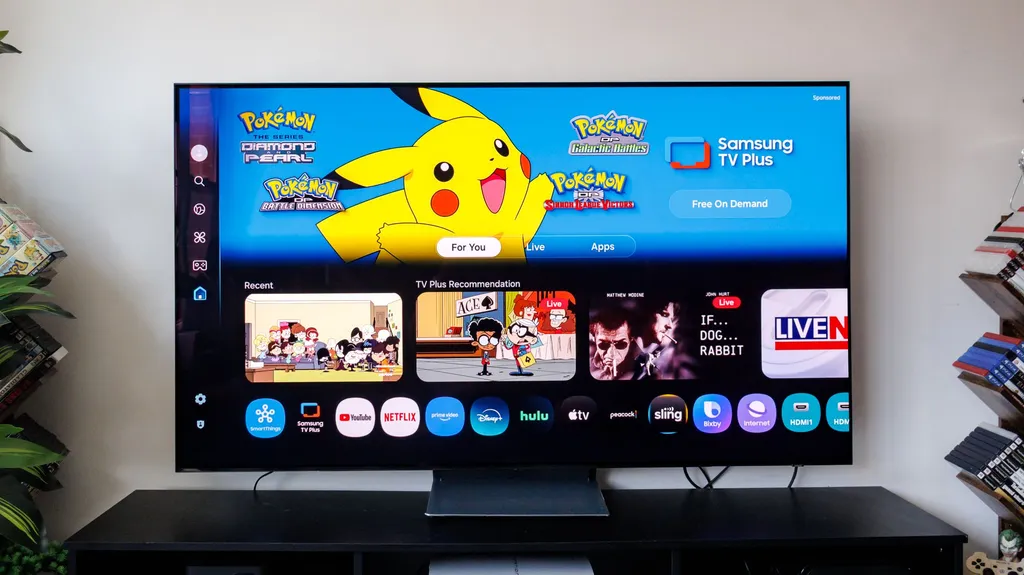
I love my Samsung TV, but this feature was driving me crazy and wasting my money — here's how to turn it off
The author of the article was experiencing issues with their Samsung TV turning on by itself due to its motion detection feature. This feature, which is intended to save power, was actually wasting energy and driving the author crazy. The article provides steps on how to disable this feature and save energy costs.
- ▪Many Samsung TV models use built-in motion detection to wake themselves up when they sense movement.
- ▪The motion detection feature can be disabled through the TV's settings menu by toggling off the Motion Detection or Presence Detection switch.
- ▪The feature can also be tied to accessibility settings or smartphone and smart home integrations, which may need to be adjusted separately.
Tom's Guide files mainly under tech. We currently carry 1,380 of its stories.
Story provenance
Source · retrieval · rights · ranking — open for full record
inspect →
Story provenance
Attribution is not the same as permission. This drawer separates discovery metadata, excerpts, WeSearch-generated summaries, reuse status, and whether the publisher receives the visit. Nothing here claims a legal grant the publisher has not made.
Record
| Original publisher | Tom's Guide |
| Canonical URL | https://www.tomsguide.com/tvs/i-love-my-samsung-tv-but-this-one-annoying-feature-was-driving-me-crazy-and-wasting-my-money |
| Publication time | Tue, 30 Jun 2026 07:15:00 +0000 |
| Retrieval time | 2026-06-30T07:19:23.411Z |
| Last seen | 2026-06-30T07:19:23.411Z |
| Headline source | Publisher (no WeSearch rewrite) |
| Excerpt source | publisher body |
| Excerpt method | First ~120 words (~800 chars) of extracted publisher body, fair-use limited. |
| Summary | WeSearch · cerebras-chat (WeSearch summarizer) |
| Summary source text | contentText |
| Citation coverage | Summary is a WeSearch-generated derivative; primary citation is the original publisher URL. |
| Cluster | Tx3UciWTRDtc |
| Cluster logic | Grouped by semantic title/content similarity across sources within a rolling window. Same-publisher template collisions are excluded from coverage comparison. |
| Ranking reason | Story pages are not engagement-ranked. Hub feeds use recency, with optional source-diversified chronological ordering (cap consecutive stories per source). No personalized ranking. |
| Publisher visit | Yes — open original |
| Substitutes article? | No — link-out required for full text |
Rights status (four layers)
WeSearch handling by dimension
| Indexing | May the item be indexed (stored, ranked, made findable)? | Allowed |
| Snippet | May a short excerpt of the publisher's text be shown? | Allowed |
| AI summary | May WeSearch generate its own short summary of the article? | Limited |
| Retrieval / RAG | May the content be exposed for third-party retrieval-augmented generation? | Not asserted |
| Model training | May the content be used to train AI models? | Not asserted |
| Commercial reuse | May the content be reused commercially? | Not permitted |
Basis: Derived from the published RSS/Atom feed. Contact: [email protected]. Reviewed: 2026-07-24.
Opening excerpt (first ~120 words) tap to expand
TVs I love my Samsung TV, but this feature was driving me crazy and wasting my money — here's how to turn it off How To By Kaycee Hill published 30 June 2026 Disable Samsung TV motion detection with these simple steps When you purchase through links on our site, we may earn an affiliate commission. Here’s how it works. (Image credit: Tom's Guide) Copy link Facebook X Reddit Email Share this article 0 Join the conversation Follow us Add us as a preferred source on Google Newsletter Subscribe to our newsletter Most of us try to be mindful of our electricity usage, so discovering that a household appliance is powering itself on behind your back is incredibly frustrating.
…
Excerpt limited to ~120 words for fair-use compliance. The full article is at Tom's Guide.
Discussion
0 commentsMore from Tom's Guide