
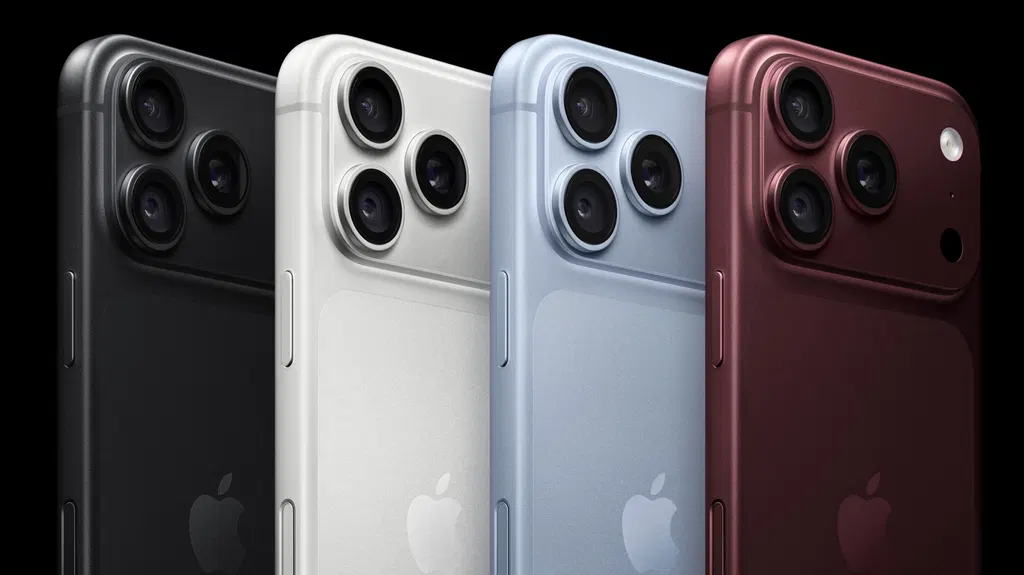
How to customize Camera Control on your iPhone
Big Tech Apple How to customize Camera Control on your iPhone Make your iPhone’s camera behave exactly how you want By Jonny Evans Oct. 3, 2026 12:30 pm EST Apple Add Engadget on Google: Preferred Source Google Discover Are you getting everything you can out of the button at the lower right of your iPhone 16, 17, and 18 series? The button is the phone's Camera Control, which can be customized to support your mobile photography workflow.
- ▪Big Tech Apple How to customize Camera Control on your iPhone Make your iPhone’s camera behave exactly how you want By Jonny Evans Oct.
- ▪3, 2026 12:30 pm EST Apple Add Engadget on Google: Preferred Source Google Discover Are you getting everything you can out of the button at the lower right of your iPhone 16, 17, and 18 series?
- ▪The button is the phone's Camera Control, which can be customized to support your mobile photography workflow.
Engadget files mainly under tech. We currently carry 1,138 of its stories.
Story provenance
Source · retrieval · rights · ranking — open for full record
inspect →
Story provenance
Attribution is not the same as permission. This drawer separates discovery metadata, excerpts, WeSearch-generated summaries, reuse status, and whether the publisher receives the visit. Nothing here claims a legal grant the publisher has not made.
Record
| Original publisher | Engadget |
| Canonical URL | https://www.engadget.com/2273351/how-to-customize-iphone-camera-control/ |
| Publication time | Sat, 03 Oct 2026 16:30:00 +0000 |
| Retrieval time | 2026-10-03T16:33:12.793Z |
| Last seen | 2026-10-03T16:33:12.793Z |
| Headline source | Publisher (no WeSearch rewrite) |
| Excerpt source | publisher body |
| Excerpt method | First ~120 words (~800 chars) of extracted publisher body, fair-use limited. |
| Summary | WeSearch · cerebras-chat (WeSearch summarizer) |
| Summary source text | contentText |
| Citation coverage | Summary is a WeSearch-generated derivative; primary citation is the original publisher URL. |
| Cluster | PQcfErWl74mQ · 1 stories |
| Cluster logic | Grouped by semantic title/content similarity across sources within a rolling window. Same-publisher template collisions are excluded from coverage comparison. |
| Ranking reason | Story pages are not engagement-ranked. Hub feeds use recency, with optional source-diversified chronological ordering (cap consecutive stories per source). No personalized ranking. |
| Publisher visit | Yes — open original |
| Substitutes article? | No — link-out required for full text |
Rights status (four layers)
WeSearch handling by dimension
| Indexing | May the item be indexed (stored, ranked, made findable)? | Allowed |
| Snippet | May a short excerpt of the publisher's text be shown? | Allowed |
| AI summary | May WeSearch generate its own short summary of the article? | Limited |
| Retrieval / RAG | May the content be exposed for third-party retrieval-augmented generation? | Not asserted |
| Model training | May the content be used to train AI models? | Not asserted |
| Commercial reuse | May the content be reused commercially? | Not permitted |
Basis: Derived from the published RSS/Atom feed. Contact: [email protected]. Reviewed: 2026-07-24.
Opening excerpt (first ~120 words) tap to expand
Big Tech Apple How to customize Camera Control on your iPhone Make your iPhone’s camera behave exactly how you want By Jonny Evans Oct. 3, 2026 12:30 pm EST Apple Add Engadget on Google: Preferred Source Google Discover Are you getting everything you can out of the button at the lower right of your iPhone 16, 17, and 18 series? The button is the phone's Camera Control, which can be customized to support your mobile photography workflow. To clear up any confusion, Camera Control refers to the capacitive button on the right side of your iPhone, which understands a range of gestures, including single- and double-clicks and swipe gestures. You use it to open the camera, take pictures, record videos and work with the advanced photography settings on your iPhone.
…
Excerpt limited to ~120 words for fair-use compliance. The full article is at Engadget.
Discussion
0 commentsMore from Engadget


