A/B Testing Pitfalls: What Works and What Doesn’t with Real Data
A/B testing can produce misleading results due to common pitfalls like data quality issues, premature analysis, and insufficient statistical power. Sample Ratio Mismatch (SRM) often indicates underlying problems in randomization or logging that invalidate test outcomes. Proper practices such as pre-checking data quality, using sequential testing, and applying variance reduction techniques like CUPED are essential for reliable results.
- ▪Sample Ratio Mismatch (SRM) indicates broken randomization or logging errors and can lead to incorrect conclusions from A/B tests.
- ▪Peeking at A/B test results without statistical correction increases false positive rates, potentially turning noise into false wins.
- ▪Microsoft and Netflix have successfully used CUPED to reduce variance in experiments, effectively increasing statistical power without additional data.
- ▪Sequential testing methods used by Spotify, Optimizely, and Netflix allow for safe monitoring of A/B tests while maintaining error rate control.
- ▪Data hygiene and predefined stopping rules are critical; many failed A/B tests result from procedural flaws rather than poor product ideas.
KDnuggets files mainly under ai. We currently carry 33 of its stories.
Story provenance
Source · retrieval · rights · ranking — open for full record
inspect →
Attribution is not the same as permission. This drawer separates discovery metadata, excerpts, WeSearch-generated summaries, reuse status, and whether the publisher receives the visit. Nothing here claims a legal grant the publisher has not made.
Record
| Original publisher | KDnuggets |
| Canonical URL | https://www.kdnuggets.com/a-b-testing-pitfalls-what-works-and-what-doesnt-with-real-data |
| Publication time | Tue, 28 Apr 2026 12:00:50 +0000 |
| Retrieval time | 2026-04-28T12:04:31.909Z |
| Last seen | 2026-04-28T12:04:31.909Z |
| Headline source | Publisher (no WeSearch rewrite) |
| Excerpt source | publisher body |
| Excerpt method | First ~120 words (~800 chars) of extracted publisher body, fair-use limited. |
| Summary | WeSearch · cerebras-chat (WeSearch summarizer) |
| Summary source text | contentText |
| Citation coverage | Summary is a WeSearch-generated derivative; primary citation is the original publisher URL. |
| Cluster | py-fMnK2A0LI |
| Cluster logic | Grouped by semantic title/content similarity across sources within a rolling window. Same-publisher template collisions are excluded from coverage comparison. |
| Ranking reason | Story pages are not engagement-ranked. Hub feeds use recency, with optional source-diversified chronological ordering (cap consecutive stories per source). No personalized ranking. |
| Publisher visit | Yes — open original |
| Substitutes article? | No — link-out required for full text |
Rights status (four layers)
WeSearch handling by dimension
| Indexing | May the item be indexed (stored, ranked, made findable)? | Allowed |
| Snippet | May a short excerpt of the publisher's text be shown? | Allowed |
| AI summary | May WeSearch generate its own short summary of the article? | Limited |
| Retrieval / RAG | May the content be exposed for third-party retrieval-augmented generation? | Not asserted |
| Model training | May the content be used to train AI models? | Not asserted |
| Commercial reuse | May the content be reused commercially? | Not permitted |
Basis: Derived from the published RSS/Atom feed. Contact: [email protected]. Reviewed: 2026-07-24.
Opening excerpt (first ~120 words) tap to expand
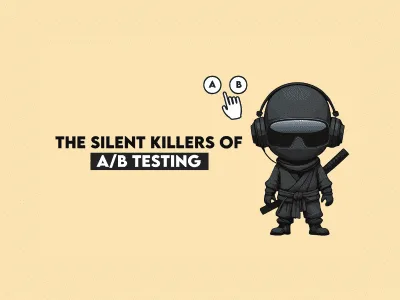
Image by Author # Introduction You've shipped what looks like a winning test: conversion up 8%, engagement metrics glowing green. Then it crashes in production or quietly fails a month later. If that sounds familiar, you're not alone. Most A/B test failures don't come from bad product ideas; they come from bad experimentation practices. The data misled you, the stopping rule was ignored, or no one checked if the "win" was just noise dressed as a signal. Here's the uncomfortable truth: the infrastructure around your test matters more than the variant itself, and most teams get it wrong. Let's break down the four silent killers of A/B testing — from misleading data to flawed logic — and reveal the disciplined practices that separate the best from the rest.
…
Excerpt limited to ~120 words for fair-use compliance. The full article is at KDnuggets.
Discussion
0 commentsMore from KDnuggets