Extract PDF text in your browser with LiteParse for the web
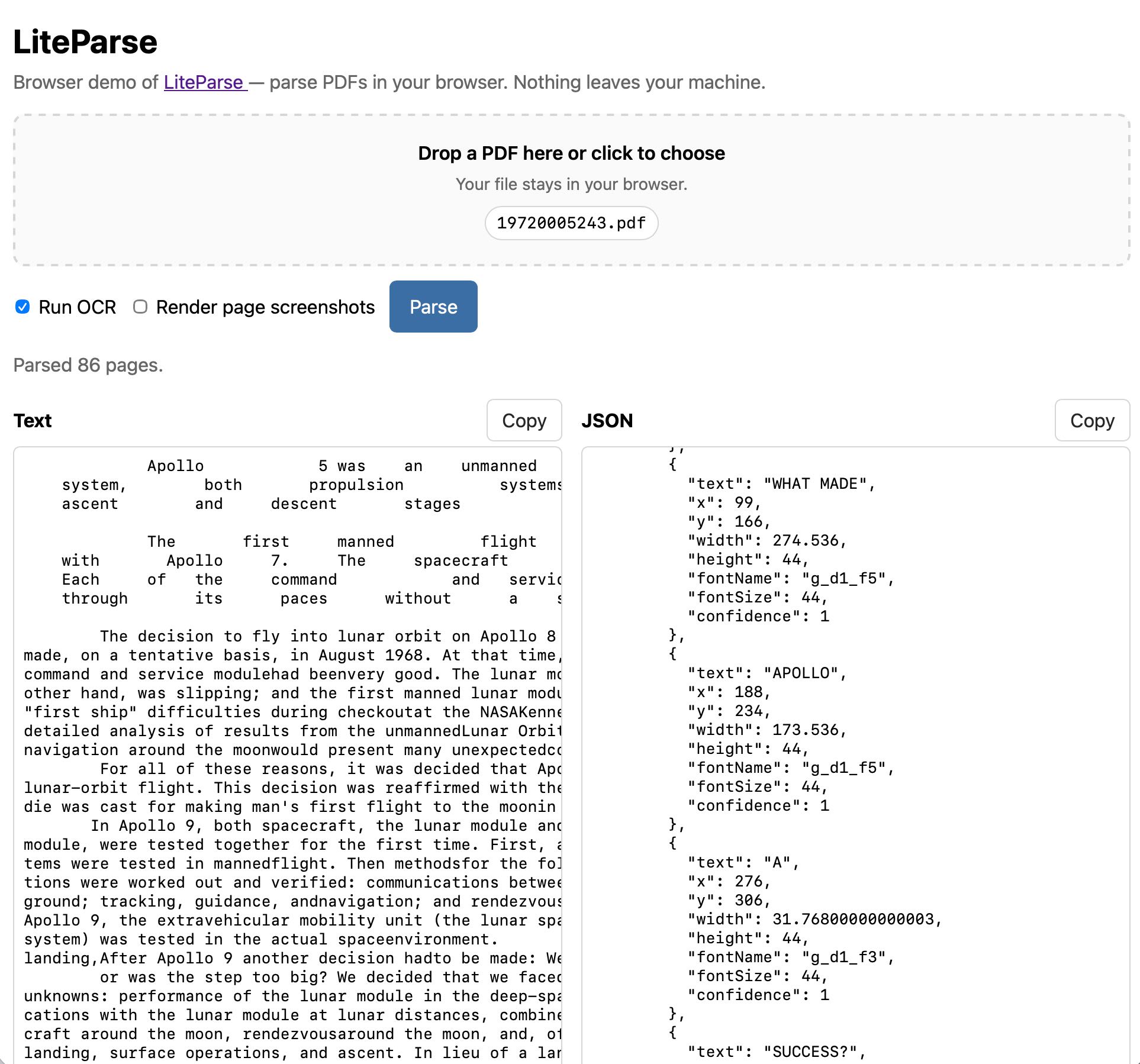
LiteParse for the web is a browser-based tool that extracts text from PDFs using spatial parsing techniques, without relying on AI models. It runs entirely in the browser, leveraging PDF.js and Tesseract.js for text extraction and optional OCR. Developed by adapting the open-source LiteParse CLI tool, it processes PDFs client-side with no data sent to servers. The project was built using AI-assisted development with Claude Code and is hosted on GitHub Pages.
Full article excerpt tap to expand
Extract PDF text in your browser with LiteParse for the web 23rd April 2026 LlamaIndex have a most excellent open source project called LiteParse, which provides a Node.js CLI tool for extracting text from PDFs. I got a version of LiteParse working entirely in the browser, using most of the same libraries that LiteParse uses to run in Node.js. Spatial text parsing Refreshingly, LiteParse doesn’t use AI models to do what it does: it’s good old-fashioned PDF parsing, falling back to Tesseract OCR (or other pluggable OCR engines) for PDFs that contain images of text rather than the text itself. The hard problem that LiteParse solves is extracting text in a sensible order despite the infuriating vagaries of PDF layouts. They describe this as “spatial text parsing”—they use some very clever heuristics to detect things like multi-column layouts and group and return the text in a sensible linear flow. The LiteParse documentation describes a pattern for implementing Visual Citations with Bounding Boxes. I really like this idea: being able to answer questions from a PDF and accompany those answers with cropped, highlighted images feels like a great way of increasing the credibility of answers from RAG-style Q&A. LiteParse is provided as a pure CLI tool, designed to be used by agents. You run it like this: npm i -g @llamaindex/liteparse lit parse document.pdf I explored its capabilities with Claude and quickly determined that there was no real reason it had to stay a CLI app: it’s built on top of PDF.js and Tesseract.js, two libraries I’ve used for something similar in a browser in the past. The only reason LiteParse didn’t have a pure browser-based version is that nobody had built one yet... Introducing LiteParse for the web Visit https://simonw.github.io/liteparse/ to try out LiteParse against any PDF file, running entirely in your browser. Here’s what that looks like: The tool can work with or without running OCR, and can optionally display images for every page in the PDF further down the page. Building it with Claude Code and Opus 4.7 The process of building this started in the regular Claude app on my iPhone. I wanted to try out LiteParse myself, so I started by uploading a random PDF I happened to have on my phone along with this prompt: Clone https://github.com/run-llama/liteparse and try it against this file Regular Claude chat can clone directly from GitHub these days, and while by default it can’t access most of the internet from its container it can also install packages from PyPI and npm. I often use this to try out new pieces of open source software on my phone—it’s a quick way to exercise something without having to sit down with my laptop. You can follow my full conversation in this shared Claude transcript. I asked a few follow-up questions about how it worked, and then asked: Does this library run in a browser? Could it? This gave me a thorough enough answer that I was convinced it was worth trying getting that to work for real. I opened up my laptop and switched to Claude Code. I forked the original repo on GitHub, cloned a local copy, started a new web branch and pasted that last reply from Claude into a new file called notes.md. Then I told Claude Code: Get this working as a web app. index.html, when loaded, should render an app that lets users open a PDF in their browser and select OCR or non-OCR mode and have this run. Read notes.md for initial research on this problem, then write out plan.md with your detailed…
This excerpt is published under fair use for community discussion. Read the full article at Simon Willison's Weblog.
Discussion
0 commentsMore from Simon Willison's Weblog